
Know your stock.
Keep every order moving.
Keep every order moving.
Inventory software for small shops.
Check what is on the shelf, pack today’s orders and keep a list of what needs reordering.
Look up an order



At the shelf. At the packing table.
Keep the daily work organised.
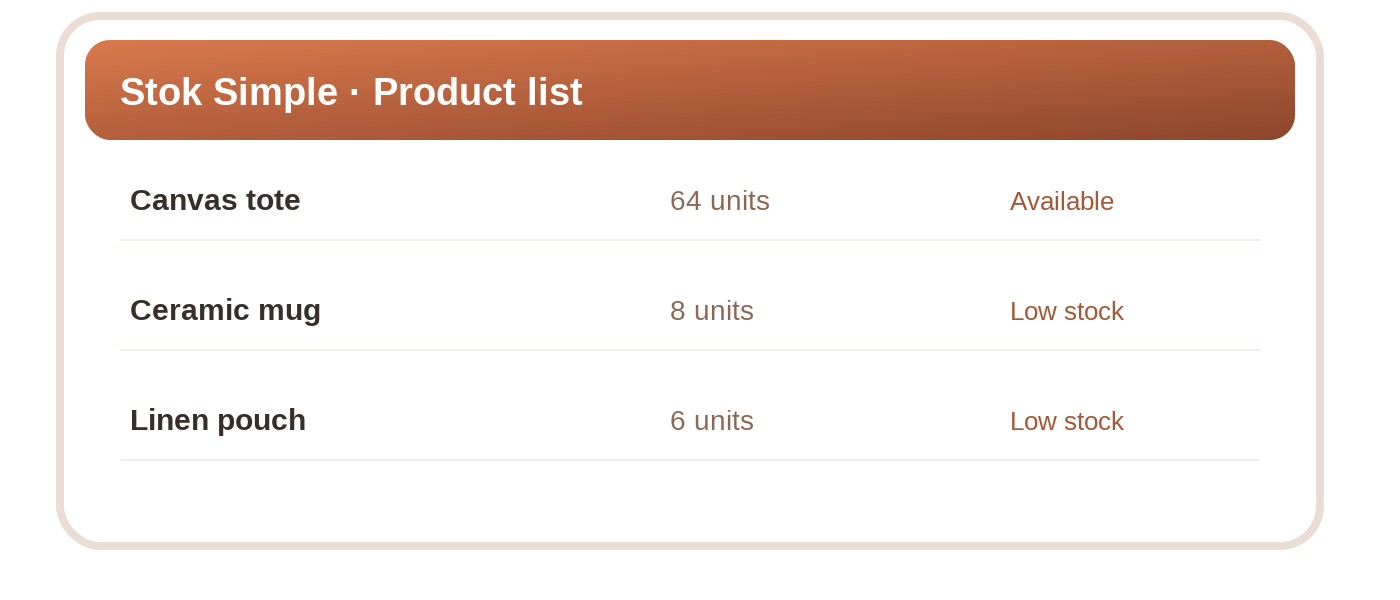
See what is available, what is reserved and which orders need attention.
Check stock
Check the SKU and quantity before picking an item. Add a note if anything is missing or damaged.
Organise products
Give each size or colour its own SKU. Record the shelf location and when to reorder.
Track each order
Mark an order as picked, packed or dispatched so the next person knows where it stands.
Record stock changes
Record deliveries, returns and damaged items alongside the order notes.
Made for the working day
Stock clarity, wherever you work.
Check an item at the shelf or review orders at your desk. See quantities, low-stock items and next steps in one view. All records shown here are examples.


Made for the working day
Organise products
Start with the products, locations and order stages your team needs. Plan the setup around your current process, then test it with sample data before connecting other tools.

A few practical answers
Before you explore
About the demo and a possible setup.
Is Stok Simple a live software product?
No. This is a fictional product website concept. The screens use sample records and do not connect to a real inventory system.
What would a real setup include?
The scope could cover products, quantities, order stages, locations and replenishment notes. Users, permissions and integrations would be agreed before development.
Can I try it without an account?
Yes. The sample workspace uses a shop name and sample reference only. It checks your input locally; it does not create an account or store information.
Does it connect to marketplaces or accounting tools?
No live connections are included in this demonstration. Any future integration would need separate technical scoping, access approval and testing.
Are the plan prices an offer?
No. The amounts illustrate a possible plan layout. They are not a quotation, purchase option or subscription, and no payment is taken.
How do I ask about this website design?
Use the Website enquiry link to open HeyJackLee’s contact page. The template name and Demo link will be included so you can discuss an adaptation.
From delivery to dispatch
Check. Pack. Hand over.
Check the SKU and quantity before picking an item. Add a note if anything is missing or damaged.
Add your products
Add a SKU, quantity and location for each item.
Record an order
List the items, quantities and packing notes.
Prepare and check
Check stock, pack the items and mark them ready.
Review what is low
Check low-stock items and plan the next delivery.
Start with a practical scope
A setup that fits your shop
Example scopes and prices only. A real quote depends on your team, products and required connections. No subscription or payment is taken here.
Explore
Explore sample records. No account needed.
RM 0 / demo
4 sample orders
- Look up a sample order
- See items and quantities
- Check the packing stage
- Review the order total
Try the demo
Single shop
Example plan
For a small team at one location.
RM 79 / month
Scope: Illustrative
- One stock location
- Products and shelf positions
- Quantities by SKU
- Orders ready to pack
- Delivery and return notes
- A low-stock list
Discuss this scope
Growing team
For more users and stock locations.
RM 149 / month
Scope: Illustrative
- Multiple stock locations
- Stock by location
- Transfers between locations
- Packing queues by team
- Handover notes
- A shared reorder list
